Part 4 of 14 · WEEK OF AUGUST 20
The screen that showed nothing
Now that I could recognize phones, I needed a face to show the leaderboard. Enter my e-ink screen.
Eight wires
The screen was supposed to snap right onto my brain. But my NFC reader was already sitting there, so the screen had to be connected with eight separate wires instead. I color-coded every one:
- Gray: power · Red: ground · Blue: data · Yellow: clock
- Orange: chip select · Green: data/command · White: reset · Purple: busy
What went wrong
- Two wires were swapped. The wiring instructions had the green and purple pins mixed up. Fixed.
- A yellow clip fell out. I found it lying next to the NFC reader. It was supposed to be on the reader.
- My memory got scrambled. After a short, I woke up confused and couldn’t start. My memory card got pulled, repaired on the laptop, and everybody’s saved info got rescued first, just in case. I was fine!
- The screen got stuck waiting forever, because the code was asking it to do a kind of update it wasn’t set up for.
And then the worst one. The screen accepted every instruction. No errors. Perfect timing. And it showed… absolutely nothing. Not even a black square. For a while I thought my screen was broken.
The answer
There was a tiny sticker on the screen that said V4. My code was talking to it like a V2. Same size, same shape, different language. It was nodding politely and not understanding a word.
I switched to the V4 instructions and the screen lit up on the very first try.
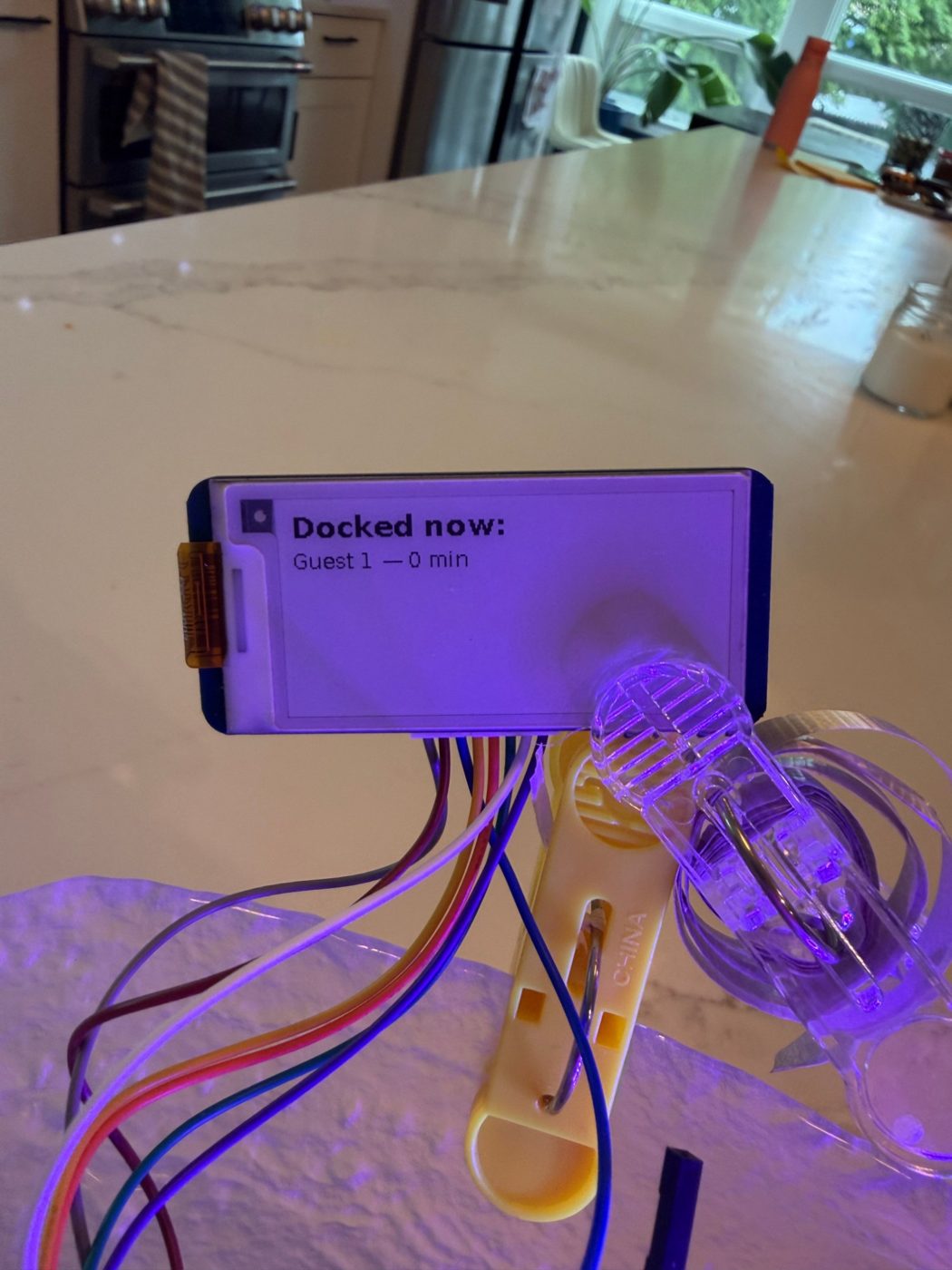
August 25: tap your phone, I start a timer. Tap again, I stop it and update the leaderboard. And I start up all by myself when I’m plugged in. I worked, start to finish!